Modem vs Router: The Difference Nobody Explains Clearly
A modem connects your home to the internet. A router shares that connection across your devices. They are two separate jobs, and confusing them is why most people call their ISP when the real fix takes 30 seconds on the right box. By the end of this page, you will know exactly what each device does, why you might need both, and when a combo unit actually makes sense.
What a Modem Actually Does
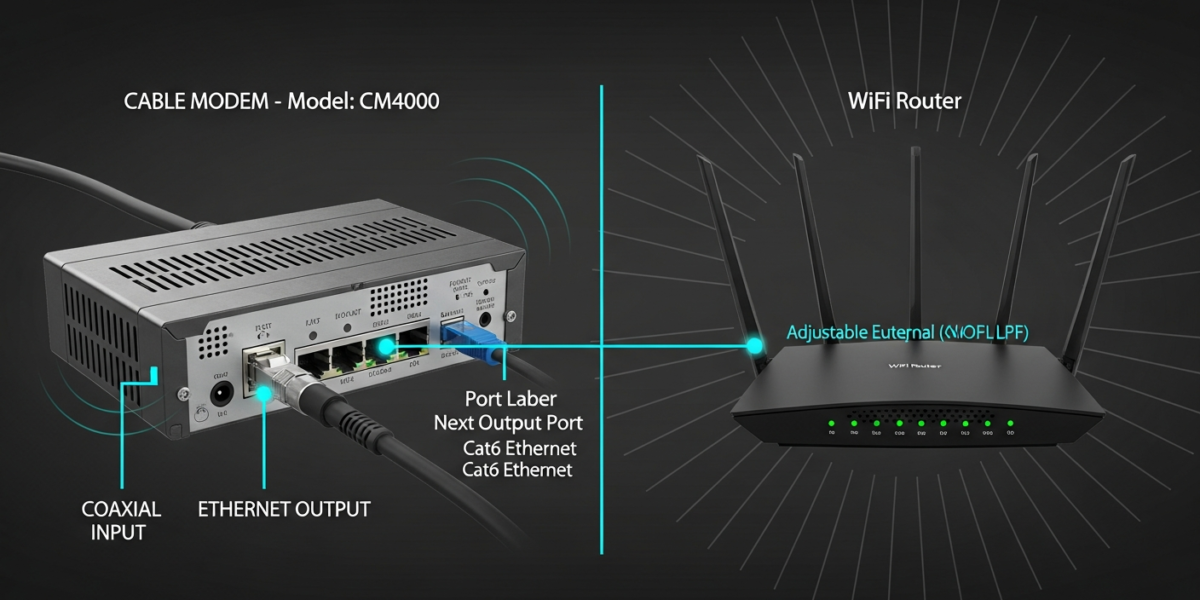
Your internet service provider sends a signal over a physical line into your home. That signal might travel over coaxial cable (common with cable internet), a phone line (DSL), or fiber-optic cable. Your computer cannot read any of those signals directly. The modem’s job is to translate them into a digital format your devices understand.
The word “modem” is a portmanteau of modulator-demodulator. It converts the analog or optical signal from your ISP’s infrastructure into standard Ethernet data, and sends your outgoing data back in the format the ISP’s network expects. Without a modem, your devices have no path to the outside internet at all.
Modems are protocol-specific. A DOCSIS modem works with cable internet (Comcast, Spectrum, Cox). A DSL modem works with phone-line internet. A fiber ONT (optical network terminal) handles fiber connections from providers like Verizon Fios or AT&T Fiber. You cannot swap one type for another.
What a Router Actually Does
A router receives the internet signal from your modem and distributes it across your local network. It assigns private IP addresses to every device on your network, manages traffic between them, and enforces a basic firewall that blocks unsolicited inbound connections from the open internet.
The router is also what creates your WiFi network. When you search for networks on your phone and see a list of names, each one is a router broadcasting a wireless signal. Your modem has no WiFi capability on its own.
Routers also handle Network Address Translation (NAT). Your ISP gives your modem one public IP address. The router takes that single address and uses it for every device in your home simultaneously, keeping track of which device sent which request so returning data reaches the right destination.
Modem vs Router: Side-by-Side
| Feature | Modem | Router |
|---|---|---|
| Primary job | Connects home to ISP network | Distributes connection to local devices |
| Assigns IP addresses | Receives one public IP from ISP | Assigns private IPs via DHCP |
| Creates WiFi | No | Yes (in wireless routers) |
| Works without the other | Single wired device only | Local file sharing only, no internet |
| Protocol-specific | Yes (DOCSIS, DSL, Fiber ONT) | No (works with any modem output) |
| Firewall | No | Yes (NAT firewall built in) |
| Typical lifespan | 5-8 years | 3-5 years |
Why Your ISP Gives You a Combo Unit
Most ISPs rent you a single box that combines both a modem and a router. They market these as “gateways” or “wireless gateways.” The benefit is simplicity: one box, one power cable, one setup call. The drawback is that the hardware is usually mediocre, and you pay a monthly rental fee (typically $10 to $15) that adds up to the cost of a decent standalone router every year or two.
If you own your own modem and router, you eliminate that rental fee and gain full control over your network settings. The tradeoff is initial cost and the responsibility of troubleshooting two devices instead of one when something goes wrong.
When You Need Both Separately
You need a standalone modem plus a separate router if any of the following apply:
- You want faster WiFi than your ISP’s rented gateway provides
- You want to run a mesh network across a large home
- You need advanced features like VPN server, QoS traffic prioritization, or per-device parental controls
- You want to stop paying the monthly equipment rental fee indefinitely
Most ISPs allow you to use your own modem. Check your ISP’s approved modem list before buying. Comcast publishes a public DOCSIS compatibility list; Spectrum and Cox do the same. A DOCSIS 3.1 modem is the current standard for cable internet and supports speeds well beyond 1 Gbps, making it the right buy for any plan above 400 Mbps.
When a Combo Gateway Makes Sense
A combo unit is a rational choice if you live in a small apartment, rent rather than own, or want zero setup complexity. The performance difference between a decent gateway and a separate modem-plus-router pair is often unnoticeable in households with fewer than five devices doing light streaming and browsing.
If you later decide to upgrade, many ISPs let you put their gateway into “bridge mode,” which disables the router functions and turns it into a pure modem. You then connect your own router to it for full control without returning any hardware.
Can You Connect Directly to a Modem Without a Router?
Yes, with one significant catch. If you connect a single computer directly to your modem via Ethernet, that computer gets your public IP address and hits the internet with no firewall. This is functional but exposes you to direct connection attempts from anywhere on the open internet. For a single wired device in a controlled environment it works; for everyday home use it is not safe or practical.
How Data Actually Flows Through Both Devices
Understanding the path data takes makes both devices click into place. When you load a webpage, here is the sequence:
- Your device sends a request to the router over WiFi or Ethernet.
- The router checks its NAT table, tags the request with your device’s internal IP, and forwards it to the modem.
- The modem converts the request into the signal format your ISP’s network uses and sends it upstream.
- Your ISP routes the request across the internet to the destination server.
- The server’s response travels back to your modem, which converts it back to Ethernet data.
- The router reads the NAT table, identifies which device made the original request, and delivers the data to that device.
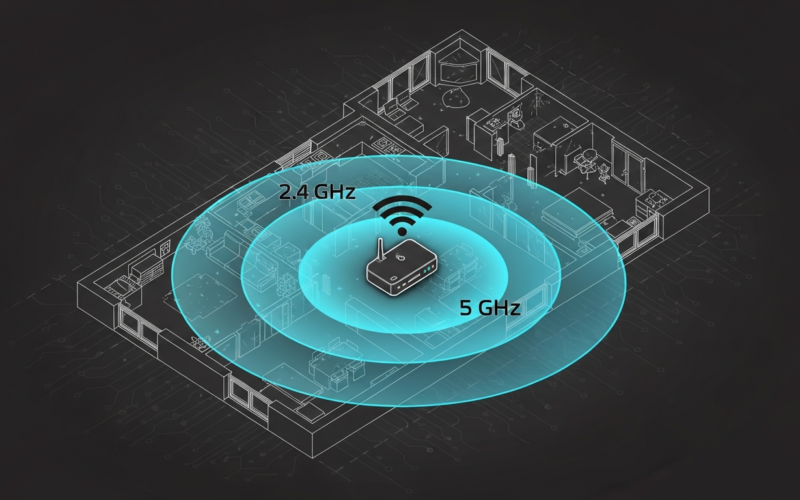
The round trip for a server located 50 miles away typically completes in under 10 milliseconds. When latency is high, the bottleneck is almost always either your ISP’s infrastructure or a router with outdated firmware or congested radio channels. If you notice consistent slowdowns, changing your WiFi channel can eliminate interference that has nothing to do with your modem.
What to Upgrade First
If your internet feels slow and you currently use your ISP’s combo gateway, start by testing your connection speed over a wired Ethernet connection directly from the gateway. If wired speeds match your plan, your modem side is fine and the problem is wireless. A separate router with better antennas and support for dual-band or tri-band WiFi closes that gap faster than any modem swap.
If wired speeds fall well below your plan’s rated speed, your gateway’s modem section may be the bottleneck. This is particularly common on plans faster than 400 Mbps if the gateway only supports DOCSIS 3.0. In that case, a DOCSIS 3.1 modem paired with a modern router is the right upgrade path.
For smart home setups with many connected devices, a router built for 30 or more simultaneous connections handles traffic more cleanly than a budget gateway. The best smart home hubs pair well with a router that supports device network isolation for security.
FAQ: Modem vs Router
Can a router work without a modem?
Yes, but only for local network functions. Devices connected to the router can communicate with each other and share files, but none of them can access the internet without a modem providing the upstream connection to your ISP.
Is a modem faster than a router?
Speed is not a useful comparison between the two. Your modem’s throughput is capped by your ISP plan. Your router’s speed determines how fast that throughput reaches your devices wirelessly. Both need to be capable of handling your plan speed for the full benefit to reach your devices.
Do I need a modem if I have fiber internet?
Fiber internet uses an ONT (optical network terminal) instead of a traditional modem. The ONT converts the fiber-optic signal to Ethernet. You still need a router to distribute the connection. Some fiber providers combine the ONT and router into one unit, similar to a cable gateway.
What happens if the modem breaks but the router is fine?
All devices on your network lose internet access immediately. Local connections between devices on your WiFi continue to work. To confirm the modem is the problem and not the ISP’s incoming line, connect a laptop directly to the modem via Ethernet. No internet there confirms the modem is the issue.

Dean Prust was a reporter for Nebula Electronics, before becoming the lead editor. Dean has over fifty bylines and has reported on countless stories concerning all things related to technology. Dean studied at Caltech.