What Is a Dual Band Router and Do You Actually Need One
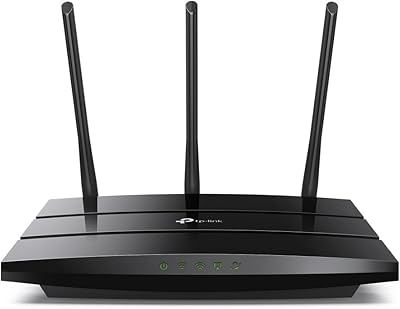
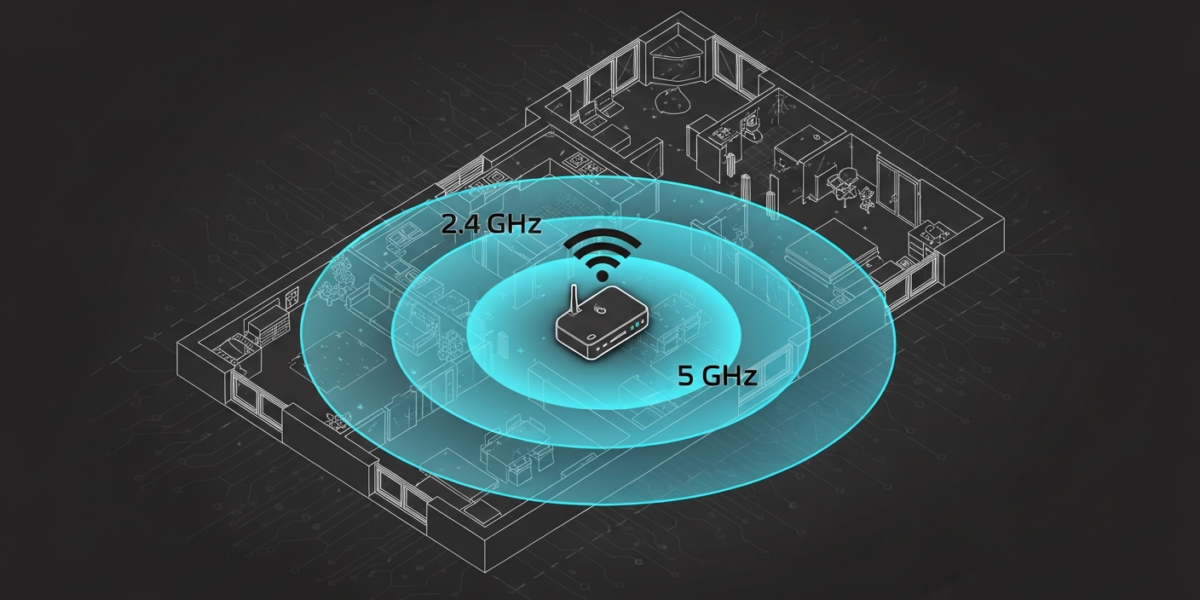
A dual-band router broadcasts two separate WiFi networks simultaneously: one on the 2.4 GHz frequency band and one on the 5 GHz band. The 2.4 GHz band travels farther but carries less data; the 5 GHz band is faster but has shorter range. You need both. Whether a dual-band router is the right hardware specifically depends on how many devices you run and how far they sit from the router.
The Two Bands Explained
Radio waves carry WiFi signals, and the frequency of those waves determines both range and bandwidth. The two standard WiFi frequencies have meaningfully different behavior in real homes.
2.4 GHz penetrates walls and floors more effectively than 5 GHz. The lower frequency loses less energy passing through building materials, which is why your phone might hold a connection from three rooms away on 2.4 GHz but drop off 5 GHz entirely. The tradeoff is maximum throughput: 2.4 GHz tops out around 600 Mbps on 802.11n hardware, and the band is crowded because every microwave oven, baby monitor, and Bluetooth device operates in the same frequency range.
5 GHz delivers faster speeds in practice because the band is less congested and supports wider channel widths. On 802.11ac (WiFi 5) hardware, 5 GHz can sustain over 1 Gbps under ideal conditions. The catch is range: 5 GHz signals lose power over distance faster than 2.4 GHz, and concrete walls or metal structures can cut the signal significantly within 30 to 40 feet.
Single-Band vs Dual-Band vs Tri-Band: Spec Comparison
| Router Type | Bands Available | Max Theoretical Speed | Best For |
|---|---|---|---|
| Single-band | 2.4 GHz only | ~150-600 Mbps | Light use, very few devices |
| Dual-band | 2.4 GHz + 5 GHz | ~1.9 Gbps combined | Most households (5-25 devices) |
| Tri-band | 2.4 GHz + two 5 GHz | ~5+ Gbps combined | Large homes, heavy streaming, gaming |
| Dual-band WiFi 6 | 2.4 GHz + 5 GHz | ~5.4 Gbps combined | Dense device households, future-proofing |
Theoretical speeds are marketing numbers. Real-world throughput depends on your internet plan speed, the quality of the router’s radio hardware, and how many devices share the airspace at once. A dual-band WiFi 6 router will outperform a tri-band WiFi 5 router in many real scenarios because WiFi 6 uses spectrum more efficiently per device.
How a Dual-Band Router Handles Your Devices
When you connect a device to a dual-band router, it joins one of the two networks. Some routers let you name both bands identically (band steering), so devices automatically connect to whichever band serves them better. Others broadcast two distinct network names (SSIDs), leaving the choice to you.
Band steering sounds convenient but can be inconsistent. Some devices get stuck on 2.4 GHz even when 5 GHz would serve them better, because the 2.4 GHz signal is technically stronger at their location. If you want predictable behavior, separate SSIDs give you direct control.
As a general rule, assign devices like these to 5 GHz:
- Laptops and tablets used near the router
- Streaming devices (Roku, Fire Stick, Apple TV)
- Gaming consoles
- Desktop computers on WiFi
Reserve 2.4 GHz for:
- Smart home devices (thermostats, bulbs, sensors) located throughout the home
- Security cameras at range
- Devices that only support 2.4 GHz (many older IoT devices)
- Anything more than two rooms from the router
Do You Actually Need a Dual-Band Router?
If your home has more than three or four WiFi devices, the answer is almost always yes. A single-band 2.4 GHz router forces all your devices onto one congested frequency, and when your smart TV, laptop, three phones, and several smart-home sensors compete for airtime simultaneously, speeds drop for everyone.
The real question for most people is not “dual-band or single-band” but “dual-band WiFi 5 or dual-band WiFi 6.” WiFi 6 (802.11ax) introduced OFDMA (orthogonal frequency-division multiple access), which allows the router to serve multiple devices simultaneously rather than sequentially. For households with 15 or more connected devices, the difference is noticeable in everyday use.
If you are renting your ISP’s gateway and experiencing slow speeds in rooms far from the box, a dedicated dual-band router will not solve a range problem on its own. For range, consider how you change your WiFi channel to reduce interference first, then look at a mesh system if the building layout is genuinely difficult. Understanding the difference between your modem and your router is also worth doing before buying new hardware, since the bottleneck is often not the router at all.
2.4 GHz vs 5 GHz: When Each Band Wins
Situations where 2.4 GHz is the right choice
Distance is the main driver. If a device sits more than 30 to 40 feet from the router, or if the signal has to pass through multiple walls or a floor, 2.4 GHz gives you a more stable connection even though peak speeds are lower. A stable 50 Mbps on 2.4 GHz beats a dropped or intermittent connection on 5 GHz for most tasks.
Smart home devices overwhelmingly prefer 2.4 GHz because they were designed for it. The Zigbee and Z-Wave protocols used by many smart home ecosystems do not use WiFi at all, but WiFi-based smart devices almost universally connect on 2.4 GHz. If you run a smart home hub with a large number of IoT devices, keeping them on 2.4 GHz clears your 5 GHz band for bandwidth-intensive tasks.
Situations where 5 GHz is the right choice
Speed and congestion avoidance are 5 GHz’s strengths. If you stream 4K video, video-conference, or game online from a room close to the router, 5 GHz gives you lower latency and higher throughput. The 5 GHz band has more available channels and is less likely to share spectrum with neighboring networks, which matters in apartments where you might see 20 or more competing WiFi networks.
WiFi Channel Congestion and Dual-Band Routers
Dual-band routers do not automatically solve channel congestion. On the 2.4 GHz band, only three non-overlapping channels exist (1, 6, and 11 in North America). In dense areas, every router on those three channels competes for airtime. The 5 GHz band has 24 or more non-overlapping channels, which is one of its structural advantages over 2.4 GHz.
If your dual-band router’s 5 GHz performance seems poor, check which channel it is using via the router’s admin interface. The router should be on a DFS channel (channels 52-144) if your router supports them, since most consumer devices avoid those channels and leave them less congested. You can also change your WiFi channel manually to one that is less occupied in your area, which costs nothing and often produces an immediate improvement.
FAQ: Dual-Band Routers
Can I connect to both bands on the same router at the same time?
Not on the same device simultaneously. A single device connects to one band at a time. However, different devices in your home can connect to different bands at the same time, which is the whole point of dual-band operation.
Is a dual-band router better than a single-band router for gaming?
Yes, for two reasons. First, you can dedicate the 5 GHz band to your console or gaming PC, keeping lower-priority devices off that channel. Second, 5 GHz offers lower latency in most environments, which matters more for online gaming than raw speed.
Does a dual-band router cost significantly more than single-band?
Not anymore. Dual-band capability is standard across virtually all current consumer routers. Reliable dual-band options from brands like TP-Link and ASUS start under $50. Single-band routers are increasingly rare in retail and mostly appear in budget travel or specialty applications.
What is a tri-band router and do I need one?
A tri-band router adds a second 5 GHz radio, giving you three total bands. The extra band is primarily useful for mesh backhaul (routers communicating with each other without using the same airspace as your devices) or households with an unusually high number of bandwidth-intensive devices. Most homes with fewer than 30 devices get no practical benefit from tri-band over dual-band WiFi 6.

Dean Prust was a reporter for Nebula Electronics, before becoming the lead editor. Dean has over fifty bylines and has reported on countless stories concerning all things related to technology. Dean studied at Caltech.