How do you watch Freeview on a PC?
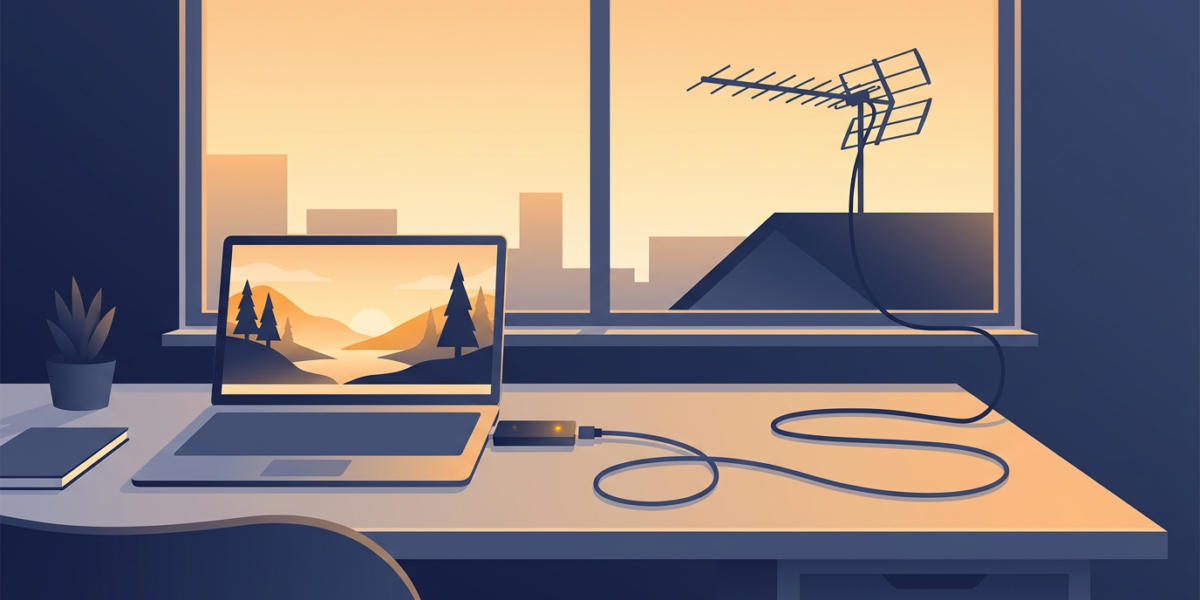
Plug a USB DVB-T2 tuner into your Windows 11 PC, connect your aerial, and run TV software that scans for channels. If you have no aerial or tuner, you can watch many Freeview channels live through the broadcasters’ own players instead.
Freeview’s equipment page lists “A Freeview TV, box or recorder” and never mentions PC tuners, so the tuner makers and software vendors are the ones who document this route.
This guide pulls their pages together for UK readers, so you can pick hardware that works on Windows 11 and fix the usual first-day problems.
What do you need to watch Freeview on Windows 11?
You need four things: an aerial, a tuner, software and a TV licence. Freeview says it needs “an aerial in good condition, pointing in the right direction towards a transmitter”, and recommends a roof aerial for best results, while noting that indoor aerials may pick up Freeview.
Start by typing your postcode into the Freeview Channel Checker. It shows which channels your address should receive and flags planned engineering work or transmitter faults.
Freeview’s licence page says everyone who watches broadcast TV in the UK needs a TV licence, whatever TV service they use. Its quick-start guide adds “or what device you watch it on”, which covers a PC.
The last variable is Windows 11 itself. Even Hauppauge’s WinTV-soloHD page lists Windows 10 as the newest system, while its WinTV-dualHD page lists Windows 11, so check the exact model page before you buy.
Do you need a DVB-T2 tuner, or is DVB-T enough?
For HD, you need DVB-T2. Hauppauge’s WinTV-soloHD page describes the split directly: “Freeview HD (DVB-T2), Freeview SD (DVB-T)”, and Wikipedia’s Freeview (UK) article calls DVB-T2 incompatible with DVB-T.
That makes a DVB-T-only stick a standard-definition device at best. If you want BBC One HD, buy a tuner whose specification page lists DVB-T2.
Freeview adds a numbering point. On Freeview Play equipment, “HD channels start with BBC One at 101”, and the channel count in HD and SD depends on your coverage, which is another reason to run the Channel Checker first.
USB stick, PCIe card or network tuner: which suits you?
The Kodi wiki describes three main types: an internal card, a USB dongle and a network attached device. Kodi calls internal cards “perfect for a dedicated HTPC setup”, says a USB dongle plugs into a port on your computer, and offers a network tuner for people without a suitable computer.
Hauppauge’s Freeview tuner comparison shows the range: the WinTV-soloHD has one DVB-T2 tuner over USB, the WinTV-dualHD has two, and the PCI Express WinTV-quadHD has four. Its dualHD page says two tuners let you watch one channel while recording another.
My view: if you plan to record anything, buy at least two tuners, because watching one channel while recording another is how most households use a recorder.
Network tuners have a caveat. Kodi says Wi-Fi is “not recommended” for them and some need a paid subscription to the manufacturer for all features. Kodi also asks you to check that any tuner supports the terrestrial standard in your country, which for UK HD means DVB-T2.
If the picture ends up on a living-room TV, the guide to HDMI ARC covers returning the sound to a soundbar, and the guide to connecting a TV to WiFi covers the smart-TV side.
Which software works for Freeview on Windows 11?
Four routes exist, and the first two are the easiest to start with.
The tuner maker’s app
Hauppauge’s WinTV v10 page lists live TV, pause, recording, a built-in guide and logical channel numbers for Europe.
Its Windows 11 section says v10 runs with Memory Integrity enabled on newer products including the soloHD, dualHD and quadHD. Older products such as the WinTV-NOVA-T need that feature turned off.
NextPVR
The NextPVR site says it is free for personal use and runs on Windows, Linux, Mac or Docker. Its tuner list shows DVB-T on Windows and names the WinTV-dualHD among devices users confirmed. The pages I read do not state which Windows versions it supports.
DVBViewer
The DVBViewer site says it works with almost every TV card or USB receiver and supports HbbTV and MHEG-5 services, with a free demo to try first. Its demo page lists operating systems up to Windows 10, and Windows 11 is not among them.
Kodi plus a backend
Kodi’s PVR page says it “does not have its own embedded TV-tuning functionality”, so you also need a backend and a PVR add-on.
The wiki’s backend table (accurate as of January 2023) lists DVBViewer, MediaPortal and NextPVR as maintained Windows options and Tvheadend as not available on Windows.
My order of attack: install the tuner maker’s app first to prove the hardware and aerial work, then move to NextPVR if you want a whole-home recorder. A working scan in one app tells you the problem, if any, is software.
How do you set up a USB tuner and scan for channels on Windows 11?
The pattern is the same in every program. Connect the aerial to the tuner, plug the tuner into a USB port, install the software, then run a channel scan.
With NextPVR, the Windows installer sets up a background server and opens a web page to configure it. The download page says you reach it at http://localhost:8866 and gives the default login as admin/password, which you should change.
In that web app you click your tuner, choose Scan Channels and pick a location.
The NextPVR wiki says that on Windows, if your location is not listed or the scan finds nothing, you select “All Countries / All Regions”. It then offers to update the guide from a default source.
WinTV v10 has an extra first-run step. Hauppauge’s requirements list an “Internet connection, for software download and activation”, and the soloHD box includes a WinTV v10 activation code.
One Windows quirk catches people after a reboot. NextPVR’s troubleshooting page says its server service uses delayed start and may be unavailable for up to 90 seconds so tuner drivers can initialise, and that changing the start type can cause failed recordings.
Why are there no channels, no HD or an empty TV guide?
Start with the signal. The Freeview troubleshooting guide says to check the Channel Checker for faults, retune, inspect cables and remove unnecessary aerial amplifiers or splitters, which can overload equipment or leave too little signal.
The same guide covers mobile interference. Freeview says a company set up by mobile phone operators, Restore TV, can supply a free filter when mobile broadband services disturb reception.
If HD is missing, confirm the tuner is DVB-T2 and that the Channel Checker lists HD at your address. Freeview also advises looking further down the guide, “usually the 800s”, because channels can land there after a retune.
Some faults are software. The DVBViewer FAQ says a missing picture or sound usually means a missing decoder and suggests the free LAV Filters package, and that some older USB boxes blue-screen on USB 3.0 and should use USB 2.0.
For an empty guide, NextPVR’s EPG page says DVB tuners can read the guide from the broadcast itself, free, but “there might not be much information” per show. Its home page says this often gives “a week or so of decent listings”, and XMLTV is the fallback.
Retuning has a cost. Freeview warns that after a retune “your channel favourites and scheduled recordings” may be deleted, so recheck your timers. Planned channel changes are listed on its updates page.
Can you watch Freeview on a PC without a tuner?
Yes, through streaming. Freeview’s device page says to look for the play symbols in its TV guide on a PC or laptop, then log in to the channel player to watch live.
The players it lists are BBC iPlayer, ITVX, Channel 4, My5, UKTV Play and STV Player. Freeview says catch-up and on-demand services need a minimum broadband speed of 2Mbps, and that figure counts against any monthly data allowance.
The trade-off is control. Streaming ties you to each player’s rules and to your broadband connection.
Will an old DVB-T tuner like DigiTV still work?
It cannot receive Freeview HD, and I found no source documenting Windows 11 support for it. The archived download page of Nebula Electronics Ltd, the UK company that made DigiTV, lists its drivers for “XP & Vista”.
For comparison, Hauppauge’s Windows 11 notice shows what a maker’s compatibility statement looks like: named models, and a condition about Memory Integrity for older ones. Nothing comparable exists for DigiTV.
The old hardware is described in the DigiTV tuner guide and the driver situation in the DigiTV driver guide. Application settings are in the DigiTV software guide, the release timeline in the version history, and the pay-TV decryption it once offered in the TopUp TV guide.
Watching Freeview on a PC questions
Do you need a TV licence to watch Freeview on a PC?
Yes. Freeview’s pages say everyone who watches broadcast TV in the UK needs a licence, whatever service they use, and that it applies whatever device you watch on.
Do you need a DVB-T2 tuner for Freeview HD?
Yes. Hauppauge’s tuner pages tie Freeview HD to DVB-T2 and Freeview SD to DVB-T, and Wikipedia describes the two as incompatible.
Which software records Freeview on Windows 11?
Options include the tuner maker’s app, such as WinTV v10, NextPVR, DVBViewer, and Kodi with a backend. Only the WinTV v10 page I read states Windows 11 compatibility directly; the others do not.
Can you watch Freeview on a laptop without an aerial?
Yes, through the broadcasters’ players linked from the Freeview TV guide. A tuner needs an aerial, so without one you rely on your broadband.
Why does a PC tuner show fewer channels than a TV?
Aerial quality, splitters, amplifiers and the tuner’s own antenna are the usual causes. Check your address in the Channel Checker, then rescan in the software.

Dean Prust was a reporter for Nebula Electronics, before becoming the lead editor. Dean has over fifty bylines and has reported on countless stories concerning all things related to technology. Dean studied at Caltech.