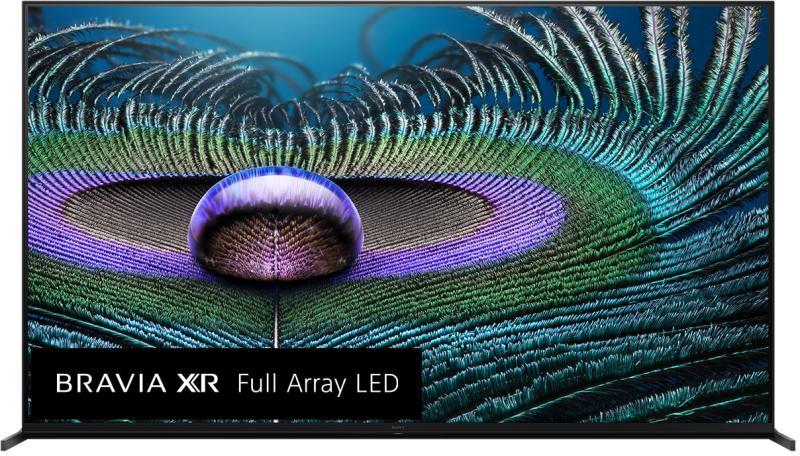

4K resolution is 3840 x 2160 pixels, about 8.3 million in total and four times the 2.07 million in 1080p. The “4K” name comes from the roughly 4,000 pixels across the screen. Whether you can see the difference depends on screen size and how far you sit.
4K compared with 1080p and 8K
| Standard | Resolution | Total pixels | Also called |
|---|---|---|---|
| 720p | 1280 x 720 | 921,600 | HD |
| 1080p | 1920 x 1080 | 2,073,600 | Full HD, FHD |
| 1440p | 2560 x 1440 | 3,686,400 | QHD, often called 2K on monitors |
| 4K UHD | 3840 x 2160 | 8,294,400 | UHD, 2160p |
| DCI 4K | 4096 x 2160 | 8,847,360 | Cinema 4K |
| 8K UHD | 7680 x 4320 | 33,177,600 | 4320p |
DCI 4K (4096 x 2160) is the cinema projection standard. TVs, monitors, and streaming services use 3840 x 2160, and that is what “4K” means on a product box unless it says otherwise.
Does 4K look better than 1080p?
Resolution is one of three things that decide how a picture looks. The other two are HDR (high dynamic range) and the panel itself. A 4K TV with weak HDR can look flatter in a bright room than a good 1080p OLED.
On a large screen at a normal distance, 4K does show finer detail: textures and fabric in close-ups. Flat-lit sitcoms and animation show less gain.
HDR10 and Dolby Vision widen the range between the darkest and brightest parts of the image. That contrast is often what people notice first when they upgrade, and it is a separate feature from the pixel count. A cheap 4K set can have the pixels without the contrast.
What screen size benefits from 4K?
This table uses a common rule of thumb: eyes with 20/20 vision resolve detail down to about one arcminute. It gives the screen diagonal above which 4K can show detail that 1080p cannot at that distance.
| Viewing distance | Screen size where 4K starts to add detail |
|---|---|
| 6 feet (1.8 m) | 46 inches |
| 8 feet (2.4 m) | 62 inches |
| 10 feet (3 m) | 77 inches |
| 12 feet (3.6 m) | 92 inches |
The numbers are calculated for a 16:9 screen, not measured on real viewers, so treat them as a conservative floor. Vision varies, and 4K sets usually bring better HDR and panels, which is a gain of its own.
The practical reading: at 8 feet, a 55-inch set sits just under the line and a 65-inch set clears it. On a 43-inch screen at 10 feet, expect little visible difference from 1080p.
Where to find 4K content
A 4K TV only shows 4K when the source is 4K. A 1080p source is scaled up to fill the panel, which adds pixels but not detail.
Netflix, Prime Video, and Disney+ stream 4K on plans and titles that include it, so check your tier before blaming the TV. YouTube streams 4K on most TVs with its app. 4K Blu-ray discs carry the highest bitrate of any home source and avoid internet limits entirely.
For streaming, Netflix lists 15 Mbps or higher for Ultra HD on its help page (checked 18 November 2026). Add the traffic from every other device in the house, since two 4K streams plus a video call can exceed a modest connection.
If a stream keeps dropping to a lower quality, measure your real speed first. The WiFi speed test guide shows how, and Ethernet vs WiFi covers when a cable to the TV is the better fix.
4K for gaming
The PlayStation 5 and Xbox Series X output 4K. The Xbox Series S supports a 4K output signal but renders many games at lower resolution and upscales them.
The original Nintendo Switch tops out at 1080p. The Switch 2 outputs up to 4K when docked.
On PC, the graphics card needed for 4K depends heavily on the game and the frame rate you want. Check benchmarks for the specific games you play, because the same card can manage 4K at 60 fps in one title and need 1440p in another.
4K on a monitor and 4K on a TV
On a 27-inch monitor at desk distance, 4K makes text and interface elements noticeably sharper than 1440p. You also get more room to tile windows.
On a 27-inch TV across a living room, the same resolution is wasted. At that size and distance you are well inside the range where 1080p and 4K look the same.
What else in the chain must support 4K
Every link has to carry 4K: source device, cable, and the TV input. For 4K at 60 fps with HDR, use a cable certified as Premium High Speed (18 Gbps) and an HDMI 2.0 or newer port. Older High Speed cables rated at 10.2 Gbps can produce a black screen or sparkles at that setting.
The input also needs HDCP 2.2, or protected 4K content will not play. A 4K signal that works on one HDMI port and fails on another often points to a port without HDCP 2.2.
HDMI ARC returns audio from the TV to a soundbar or receiver. It does not change the video resolution, but it uses one specific HDMI port, so see the HDMI ARC explainer before you plug in the soundbar. For streaming over wireless, the TV WiFi connection guide covers choosing the 5 GHz band.
Frequently asked questions
Is 4K the same as Ultra HD?
In consumer use, yes. Both mean 3840 x 2160 pixels. The term 4K comes from cinema, where the standard is 4096 x 2160, but TV makers use it for UHD panels.
Do I need a special cable to watch 4K?
For 4K at 60 fps with HDR, use a Premium High Speed HDMI cable (18 Gbps) on an HDMI 2.0 or newer port. For 4K at 120 fps you need HDMI 2.1 hardware and a cable rated for it.
Can a 4K TV improve 1080p content?
It upscales it. Every 4K TV scales a lower-resolution source to fill the panel, and the quality of that scaling varies by model. The result is smoother than a stretched image, but it is not native 4K detail.
How much internet speed do I need to stream 4K?
Netflix lists 15 Mbps or higher for Ultra HD. Allow extra if other people are streaming or calling at the same time, and use a cable to the TV if WiFi is unstable.

Dean Prust was a reporter for Nebula Electronics, before becoming the lead editor. Dean has over fifty bylines and has reported on countless stories concerning all things related to technology. Dean studied at Caltech.