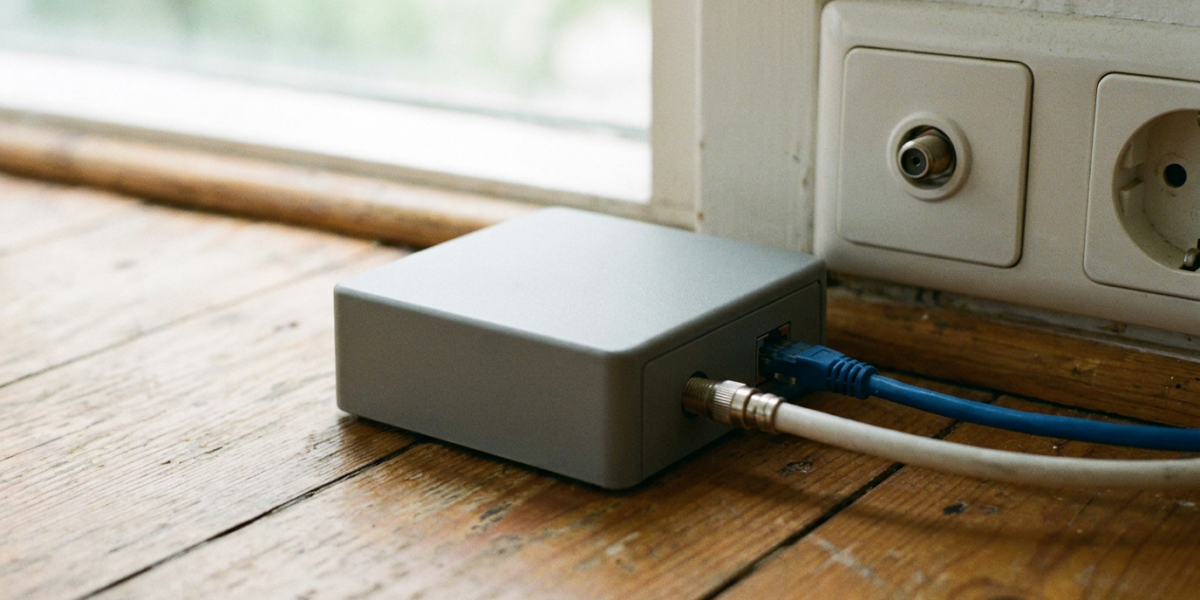
A MoCA adapter turns the TV coax cable already in your walls into a wired Ethernet link. You need two: one by your router and one by the device that needs a cable.
The current standard, MoCA 2.5, is rated by the MoCA Alliance at up to 2.5 Gbps of actual throughput, with under 2.5 ms average one-way latency. Weighing a cable against wireless? Start with Ethernet vs WiFi.
How a MoCA adapter carries data over TV coax
MoCA adds its own data band to the signals already on your coax. The Alliance lists 400 to 1675 MHz as usable spectrum. Retail adapters such as the goCoax MA2500D and Motorola MM1025 run in Extended Band D, 1125 to 1675 MHz.
Each adapter has an Ethernet port and at least one coax port; the Motorola MM1025 has two, labelled Device and Network.
Video: Techquickie
MoCA vs powerline: what the makers actually promise
The MoCA Alliance and Motorola quote actual data rates. TP-Link explains that a powerline rating is a physical-layer figure and that real throughput is typically 20 to 30% of it.
| Option | Wiring | Maker’s headline | What limits it |
|---|---|---|---|
| MoCA 2.5 with 2.5GbE port (Motorola MM1025, goCoax MA2500D) | TV coax | Up to 2.5 Gbps actual | Splitter and cable losses, slower adapters (Motorola) |
| MoCA 2.5 with 1GbE port (ScreenBeam ECB6250) | TV coax | Up to 1 Gbps | The Ethernet port |
| Powerline, 1000 Mbps rating (TP-Link’s worked example) | Mains wiring | 1000 Mbps powerline rate | TP-Link: 300 to 350 Mbps in an ideal environment |
Source: MoCA Alliance, Motorola, goCoax, ScreenBeam and TP-Link pages, checked 20 November 2026.
Slower Ethernet devices also cut the speed, Motorola notes, so check the port at both ends. With no coax in the right rooms, powerline and mesh are covered in our guide to extending WiFi range.
The UK catch: Sky dishes, aerial amplifiers and Virgin Media
goCoax says standard MoCA overlaps the frequencies used by satellite TV, so the two cannot share a coax network; Motorola says the same of the MM1025. A cable from a Sky dish will not work.
Aerial amplifiers may block it. An Ofcom-commissioned 2011 survey estimated that 4 to 5 million UK homes use some form of indoor amplifier. Nearly all of the masthead and indoor models it listed with a frequency range, about 98%, top out at 870 MHz or below, under the 1125 MHz where Band D adapters start.
Freeview recommends removing unnecessary aerial amplifiers or splitters, and our indoor TV aerial guide covers when an amplified aerial helps.
Virgin Media cable broadband shares the coax. Motorola ships a point-of-entry (PoE) filter in the box, and goCoax says to fit one just before a DOCSIS 3.1 modem that reaches 1218 MHz. ScreenBeam warns that DOCSIS 3.1 modems might conflict and cause random disconnects. None of these maker pages mentions Virgin Media.
Setting up two MoCA adapters
- Confirm the coax carries aerial or cable TV, not a satellite feed.
- Find the main splitter and check that every room you need connects to it.
- Use splitters rated 5 to 1675 MHz or higher, as goCoax advises.
- Connect adapter one to a coax outlet and to your router by Ethernet. On cable broadband, fit the PoE filter just before a DOCSIS 3.1 modem, as goCoax advises.
- Connect adapter two in the far room, adding a splitter if a TV box shares that outlet.
- Power both on, wait for the MoCA light, then run a speed test.
MoCA adapter FAQ
Does a MoCA adapter interfere with Freeview?
The MoCA Alliance says MoCA is designed to co-exist with TV signals. The risk is the cabling: goCoax says every splitter must pass 1125 to 1675 MHz, and nearly all amplifiers in the Ofcom-commissioned survey stop below that.
Can I mix MoCA 2.0 and MoCA 2.5 adapters?
Yes. Motorola lists the MM1025 as interoperable with MoCA 1.0, 1.1, 2.0, bonded 2.0 and 2.5, and the Alliance says MoCA 2.5 is backward interoperable with MoCA 2.0 and 1.1. Actual speeds may be lower with slower adapters, Motorola warns.
How many MoCA adapters do I need?
At least two: one at the router and one in each room you want wired. ScreenBeam notes that a MoCA-enabled router or modem can replace the adapter at the router end, and goCoax says one network supports up to 16 nodes.

Dean Prust was a reporter for Nebula Electronics, before becoming the lead editor. Dean has over fifty bylines and has reported on countless stories concerning all things related to technology. Dean studied at Caltech.